Saturday, May 5, 2012

It’s war of the smartphones

Blaring Big Headline Strategy Analytics announces: Samsung shipped 44.5 million smartphones and overtook Apple (35.06 million units) to become the world’s number one smartphone vendor.
Really Loud Headline IIHS declares: Samsung sold 32 million units of smartphones while Apple sold 35.06 million units. Thus Samsung remained in the second place in the smartphone segment, behind Apple Inc.
The Only way is up:The next version of Note 
and more aggression with upcoming windows
Phone 8 Phones will give samsung some serious 
numbers.
Incredibly Intense Headline: All analysts declare: Samsung Electronics Co Ltd in the first quarter overtook Nokia Corp to become the world’s largest cellphone brand for the first time. Samsung sold 92 million units to Nokia’s 83 million.

The three headlines came within days of each other, had two major contradictions and are indicative of the amazing number game that is now played out every quarter. At stake are two crowns: who is the King of the Smartphone Kingdom across the world and who is the Master of the Universe in total mobile phone sales? And within these two battles lies a tale of misdirection and deceit.

A New Cell King?
For 14 years, Nokia has reigned supreme. It has  been the first cellphone for most people across the world; it is synonymous with the word ‘mobile phone’; it has got more brand recall than almost anything else on earth (analyst Tomi Ahonen calls it “the brand most widely spread on the planet”); more people use a Nokia phone than drink Coca Cola, wear Levi’s jeans, Nike running shoes or write with a Bic pen. In a nutshell, Nokia was the undisputed monarch and king of the mobile phone. Was! And now Samsung has toppled it and Nokia is dead! And in that last statement lies the foolishness of people jumping not just a gun but an entire platoon of tanks. How can a company that sells 83 million mobile phones be dead?

The misdiagnosed demise of Nokia is based on the fact that its Windows Phone smartphone sales have not set the world on fire. While it is true that mobile phone growth currently is predominantly fuelled by smartphone sales, the feature phone market isn’t dead or buried! In emerging markets as well as countries like India, feature phones will still continue to dominate for the next five years. Enough time for Nokia and Microsoft to plan for the future. Nokia Windows smartphones sales reflect the typical sluggishness of a huge transition and it is way too early to knock them off the smartphone market completely. 


Still going Strong:It is way too early to KnockNokia off the smartphone market completely. 


My Blaring Big Prediction:

Nokia will continue to be number two for the next two years. Samsung may forge even further ahead. Apple cannot touch this crown unless it comes up with at least three other iPhone variants including an economy iPhone. If the Microsoft-Nokia gamble pays off in two years, you may still see Nokia reclaim what it has been for 14 years.

The Smarter Crown
This is the fun story. Samsung is the new smartphone king and most people tend to agree with that analysis. It has sold 9 million more smartphones than Apple, and has so many variants within that category (dozens within Android, also a player in Windows Phone, plus has its own OS, Bada) that it positively makes Apple look silly with its ‘only iPhone’ strategy. Samsung is aggressive – it’s building a great worldwide distribution network and manufactures most of its components in-house. While there is no disputing the fact that Samsung is on a roll, there are still grey areas that lie within. For starters, Samsung doesn’t declare smartphone sales numbers – an unfortunate decision that came out of a controversy over the number of phones it shipped versus number of phones it sold. If Samsung wants to be a clean and clear number one, it also needs to report things more clearly. Second, the smartphone arena is no longer only about the device itself but the entire ecosystem: apps that consumers bought, accessories available for that company’s products, music downloaded, videos and movies bought, eBooks sold to users of that device. And in this arena, there is only one undisputed king – Apple.

Not big enough:The last two versions of the iphone 
were just very minor upgrades to the iphone 3GS


My Really Loud Prediction: 
Samsung will leap further ahead. The new Samsung Galaxy S phones revealed in London, the next version of the Note and more aggression with the upcoming Windows Phone 8 phones will give it some very serious numbers. But there are four bludgeoning hits coming in the future and a huge comeback from BlackBerry with its OS 10, Nokia and Microsoft hitting incredibly hard in the next one year, LG unleashing some great phones and Apple with its iPhone 5 (a real new iPhone, since the last two were just very minor upgrades to the iPhone 3GS) and an economy iPhone (may well be the iPhone 4S at a unlocked price of $199). King Samsung has its fight cut out.

This is a number game that matters as it’s a game involving billions of dollars and the very survival of many companies. While the roadmap for the next two years seems quite set in stone, who will be number one in five years? It could be any of the big three or a complete unknown. A new king may already have been born – we just don’t know it yet!

Samsung Galaxy S3

Samsung Galaxy S3 review:
There’s a lot riding on the Samsung Galaxy S3 – it’s the successor to the 20million selling S2, it’s the Android phone best-placed to take on Apple’s iPhone, and it’s the device that Samsung hopes will cement its reputation as an innovator.
The huge 4.8” screen was too big, although it’s heading that way. The compelling thing about the S3 is the package it offers. Like the iPhone 4S after the 4, it offers iterative improvements over its predecessor, but the total effect is to create a radically innovative new device.
In among those things is a new sensor that tracks your eyes – so long as you’re looking at the S3’s screen, it won’t dim or lock itself. Yes, you could just set the screen timer to longer, but “Smart Stay” means you don’t have to. In use, the feature seemed to work very well, with a little icon indicating the phone is watching your eyes.
When it comes to features such as S-Beam, which transfers files quickly between devices by touching them together, or sharing the phone’s screen content with other devices, these are increasingly becoming more widespread industry standards, as indicated on the new Motorola Razr, which offers similar concepts. The Samsung processor is fast enough to allow crystal clear video to play in a window on your homescreens, which again is nifty, but not vital.
Overall, the device is in many ways much like its predecessor: does it feel as solid or heavy in the hand as the iPhone? No, although it’s certainly a lot bigger. Is it a different, superb product in its own right? Absolutely.it’s a worthy successor to the globally popular S2. But we shall see how much all those new features make a real difference in everyday use to form a fuller opinion.
Specifications:
The Samsung Galaxy S3 is available in 'Pebble Blue' and 'Marble White'
The Samsung Galaxy S3 automatically detects when users are looking at it
The Samsung Galaxy S3 automatically detects when users are looking at it 
The Samsung S3 features a 4.8
The Samsung S3 features a 4.8" Amoled HD screen that feels big in the hand 
Screen: 
4.8” Super Amoled HD display
Network:
2G Network-- GSM 850 / 900 / 1800 / 1900
3G Network-- HSDPA 850 / 900 / 1900 / 2100
4G Network-- LTE (regional)
Storage: 
16/32/64GB depending on model, plus expandable MicroSD card
Cloud storage: 
50GB Dropbox for two years
Colour: 
Pebble blue or marble white
Battery: 
2,100mAh (wireless charging optional extra)
Camera: 
8MP rear; 1.9 MP front
Resolution: 
720 x 1280 px (306ppi)
RAM: 
1GB
Dimensions: 
136.6 x 70.6 x 8.55 mm
Weight: 
133g
Operating System: 
Android 4.0.4
Processor: 
Exynos 4 Quad (1.4GHz)

Features at a glance:

4.8” Amoled HD screen
The S3’s enormous screen feels big in the hand, although the device is just 16 per cent larger than its predecessor, the 20 million selling S2.
Smart StayThe phone tracks your eyes, so as long as you’re looking at it, the display won’t dim or turn off.
Direct CallIf you’ve got a contact on your screen, there’s no need to hit call: simply hold the device up to your face and the number will be dialled automatically.
Smart AlertSamsung’s enhanced notifications centre tells you what’s happened since you last looked at your phone in order of importance.
Burst shot and best photoThe 8MP camera now offers a 20-shot burst mode and will choose the best photo for you. Photos now possible at the same time as video filming.
Face Zoom and Slide ShowDouble tap a face to zoom in; automatic slide show generation zooms in on faces as individual pictures for pictures with lots of people
Social network and camera integrationAutomatic tagging of pictures, and the option to send images directly to those identified in them, called Buddy Photo Share, or display social media profile information on screen. Group Tag lets you tag multiple people in one go, if you set up a group first.
Dropbox storage50GB of free Dropbox storage for two years.
S-VoiceThat’s S for Samsung, not Siri. This feature allows you to control your phone through voice, eg to turn up the volume, and to ask it questions.
S-BeamHigh speed file transfer via NFC and WiFi Direct, between two phones touched together, operating at up to 300Mbps.
Pop Up PlayPlay video in a window on any homescreen.
All Share Play and Cast
Share your S3’s screen to a TV, or use the screen as a remote control.

Friday, May 4, 2012

List of Maharatna, Navratna and Miniratna Companies of India


List of Maharatna, Navratna and Miniratna CPSEs As per available information
(as on 15th April, 2011)

Maharatna CPSEs

1.         Coal India Limited
2.         Indian Oil Corporation Limited
3.         NTPC Limited
4.         Oil & Natural Gas Corporation Limited
5.         Steel Authority of India Limited

Navratna CPSEs

1.          Bharat Electronics Limited
2.          Bharat Heavy Electrical Limited
3.          Bharat Petroleum Corporation Limited
4.          GAIL (India) Limited
5.          Hindustan Aeronautics Limited
6.          Hindustan Petroleum Corporation Limited
7.          Mahanagar Telephone Nigam Limited
8.          National Aluminium Company Limited
9.          NMDC Limited
10.        Neyveli Lignite Corporation Limited
11.        Oil India Limited
12.        Power Finance Corporation Limited
13.        Power Grid Corporation of India Limited
14.        Rashtriya Ispat Nigam Limited
15.        Rural Electrification Corporation Limited
16.        Shipping Corporation of India Limited

Miniratna Category - I CPSEs

1.          Airports Authority of India
2.          Balmer Lawrie & Co. Limited
3.          Bharat Dynamics Limited
4.          BEML Limited
5.          Bharat Sanchar Nigam Limited
6.          Bridge & Roof Company (India) Limited
7.          Central Warehousing Corporation
8.          Central Coalfields Limited
9.          Chennai Petroleum Corporation Limited
10.        Cochin Shipyard Limited
11.        Container Corporation of India Limited
12.        Dredging Corporation of India Limited
13.        Engineers India Limited
14.        Ennore Port Limited
15.        Garden Reach Shipbuilders & Engineers Limited
16.        Goa Shipyard Limited
17.        Hindustan Copper Limited
18.        HLL Lifecare Limited
19.        Hindustan Newsprint Limited
20.        Hindustan Paper Corporation Limited
21.        Housing & Urban Development Corporation Limited
22.        India Tourism Development Corporation Limited
23.        Indian Railway Catering & Tourism Corporation Limited
24.        IRCON International Limited
25.        KIOCL Limited
26.        Mazagaon Dock Limited
27.        Mahanadi Coalfields Limited
28.        Manganese Ore (India) Limited
29.        Mangalore Refinery & Petrochemical Limited
30.        Mishra Dhatu Nigam Limited
31.        MMTC Limited
32.        MSTC Limited
33.        National Fertilizers Limited
34.        National Seeds Corporation Limited
35.        NHPC Limited
36.        Northern Coalfields Limited
37.        Numaligarh Refinery Limited
38.        Pawan Hans Helicopters Limited
39.        Rashtriya Chemicals & Fertilizers Limited
40.        RITES Limited
41.        SJVN Limited
42.        Security Printing and Minting Corporation of India Limited
43.        South Eastern Coalfields Limited
44.        State Trading Corporation of India Limited
45.        Telecommunications Consultants India Limited
46.        THDC India Limited
47.        Western Coalfields Limited
48.        WAPCOS Limited

 Miniratna Category-II CPSEs

49.         Bharat Pumps & Compressors Limited
50.         Broadcast Engineering Consultants (I) Limited
51.         Central Mine Planning & Design Institute Limited
52.         Ed.CIL (India) Limited
53.         Engineering Projects (India) Limited
54.         Ferro Scrap Nigam Limited
55.         HMT (International) Limited
56.         HSCC (India) Limited
57.         India Trade Promotion Organisation
58.         Indian Medicines & Pharmaceuticals Corporation Limited
59.         M E C O N Limited
60.         National Film Development Corporation Limited
61.         National Small Industries Corporation Limited
62.         P E C Limited
63.         Rajasthan Electronics & Instruments Limited


Thursday, April 26, 2012

Google Drive vs. Dropbox, SkyDrive, SugarSync, and others: a cloud sync storage face-off


Does Drive stand a chance against sync and backup veterans?
google drive SYNC APP COMPARISON MAIN
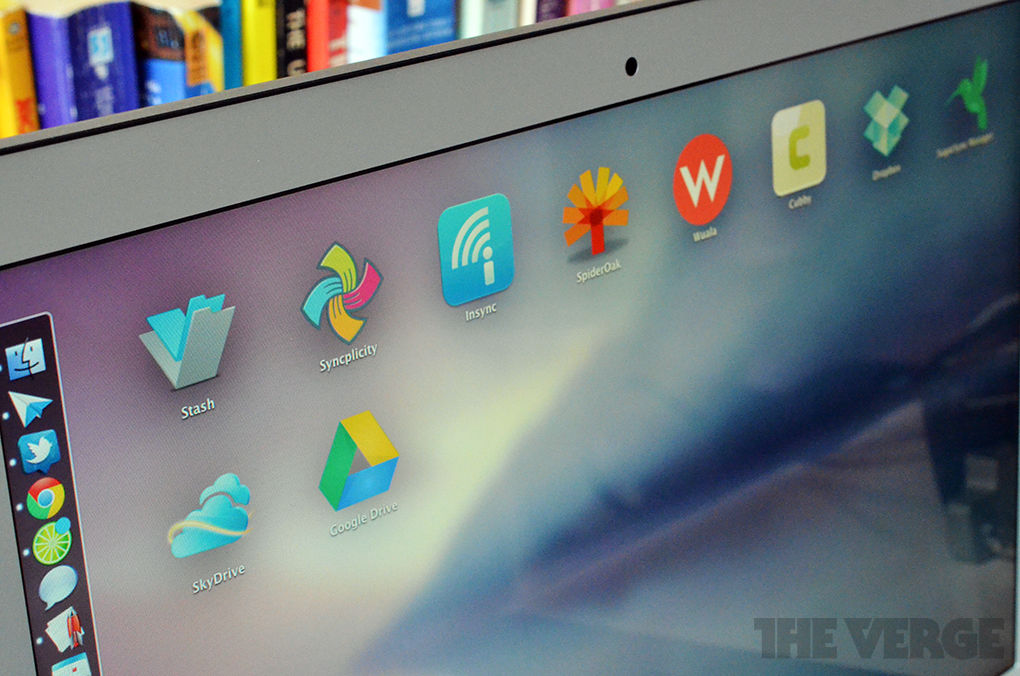
Google's very own "Loch Ness monster," also known as Google Drive, has finally launched. It's the new face of Google Documents, and it's also Google's oft-rumored Dropbox-killer. It enters a scene crowded with competitors besides Dropbox that let you sync multiple folders, collaborate with friends, and stream data to your mobile device — so how does Drive fare?

We'll take a look at the top apps that let you sync files between all of your devices automatically, share files using password protection, pick which folders you want to sync, and do anything else you might want to do with a syncing app. While our evaluations of each app aren't full-on reviews, they are encapsulations of where each app excels and what makes each unique. Refer to the chart at the bottom of the page for full breakdowns of each application.

Google Drive

Google_drive

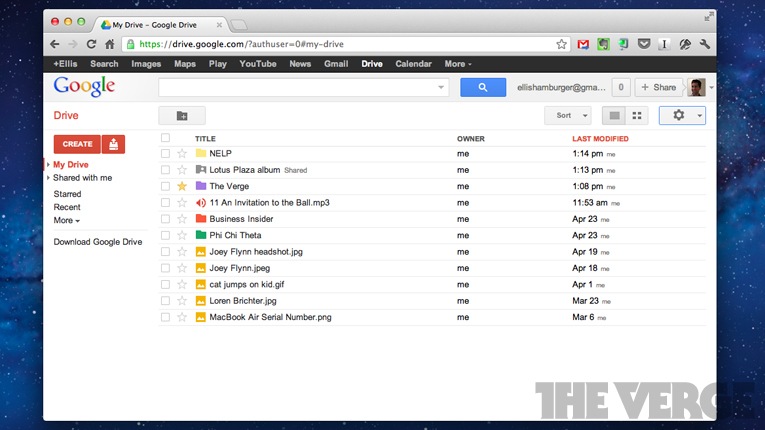
While Google Drive isn't much more than a Docs rebranding that syncs to a folder on your computer, it has a few key features that make it worth checking out. First, Drive can open up to 30 kinds of files right inside your browser. Dropbox and a few others open files inside a "web gallery," but Drive opens Photoshop files — even if you don't have Photoshop on your computer. To this extent, Drive creates a QuickLook-esque experience inside your web browser that makes it much easier to thumb through files. Drive also includes an option to turn on OCR text scanning, which means that when you upload images to Drive, Google will scan the images for text and make them searchable (similar to Evernote Premium).
Drive launches on the web, for Mac, Windows, and Android devices today, with iOS support on the way "in the coming weeks." The Android app (which replaces Google Docs) won't stream your content, however, unlike some competitors like Dropbox and SugarSync. Drive comes with 5GB of storage free, with generous upgrade options like $2.49/month for 25GB of extra storage and $4.99/month for 100GB of storage. Pricing: 25GB for $2.49/month; 100GB for $4.99/month; 200GB for $9.99/month; more options from Google.
Gdrive-3

Dropbox

Dropbox_folder

Dropbox is the go-to solution for syncing files across multiple devices for a reason. It's a no-brainer to use, allows groups to share files with a couple clicks, and offers few settings for you to mess up. Perhaps the app's greatest strength is the API it's built on, which hundreds of developers have used to create apps that utilize Dropbox. It's right up there with Evernote as the most developer-friendly storage/syncing platforms that apps can leverage to help you access your data everywhere. But, Dropbox does have some drawbacks: It offers just 2GB of storage for free, and forces you to keep everything you need synced inside of just one folder (though you can pick which folders you want synced within your Dropbox). Extra storage is also very expensive — Dropbox offers 100GB of storage for $19.99/month, while Drive offers the same amount of storage for $4.99/month. Additionally, it would be pretty futile to try to use Dropbox as a complete backup tool because it would mean that you've have to store everything you want to back up inside your Dropbox folder. Dropbox is ultra-reliable and plugged in to all your favorite apps, but doesn't offer a ton of options. Pricing: 50GB for $9.99/month ($99.99/year); 100GB for $19.99/month ($199.99/year).
Dropbox

SugarSync

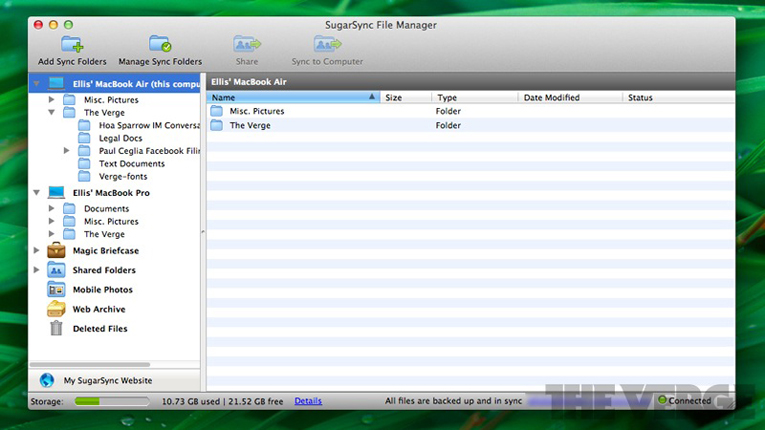
Sugarsync_file_managerSugarSync is perhaps the most well-known alternative to Dropbox, and even comes pre-loaded on all new Lenovo computers and some smartphones (like devices from SoftBank). SugarSync's claim to fame is that it's on just about every platform, gets updated frequently, and lets you micro-manage what you want to sync. For example, SugarSync lets you pick folders all over your computer to sync, then lets you choose whether you want each folder synced to all of your devices, or to just specific devices. Additionally, SugarSync lets you add password protection to files and folders when sharing them publicly, which not all competitors can't brag about. The company's app for iPhone and iPad is also decent (though it's pretty ugly, like the desktop app), and even allows you to stream a whole album of songs in a row from the cloud, unlike Dropbox. Lastly, SugarSync gives you 5GB for free to join. Pricing: 30GB for $4.99/month ($49.99/year); 60GB for $9.99/month ($99.99/year); 100GB for $14.99/month ($149.99/year).
Sugarsync

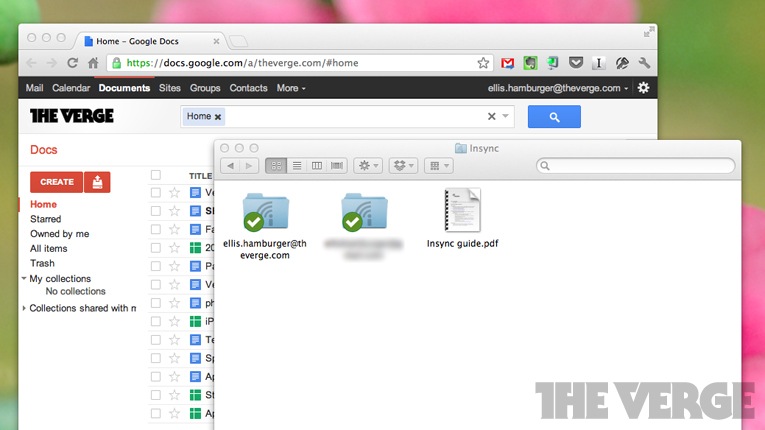
Insync

Insync_mainInsync's motto is "8x cheaper than Dropbox," while providing many of the same features and capabilities. After the Drive launch today, this isn't the case any longer, but Insync is still just as cheap as Drive. Insync uses the free storage you already have as a part of your Google Docs (now Drive) account, which means that for each Google account you have, you get 5GB of free storage. If you want to upgrade, Google's prices are much cheaper than the Amazon AWS prices Dropbox charges for storage upgrades. So anyway, Insync works really well as a Dropbox substitute, syncing without a hitch to your Google Drive account. Each account gets its own folder on your computer, but you can't sync any other folders on your computer unless they are inside an Insync folder.
The first time you open the app, you won't even see an application screen. Instead, you're popped into a Google permissions screen online, an indication of how closely Insync is tied with Google. Once you initiate a sync, all of the Google Docs crap you've ever opened will get downloaded to your computer. One cool feature is that unlike Drive, Insync will automatically convert your files into formats (like .doc) that you can read on your computer. Drive syncs Docs to your computer as web shortcuts. In fact, you might want to use Insync solely as a file manager for your Google Docs files since it lets you drag-and-drop things around between folders (labels in Google Docs). Move files within these folders and the next time you check Google Docs, the file will have switched labels. In the end, Insync is a great solution for syncing files to and from your Google Docs account, but doesn't let you sync much else. Also, the company's mobile apps are in private beta, which means you can't use them just yet. Pricing: 25GB for $2.49/month; 100GB for $4.99/month; 200GB for $9.99/month; more options from Google.
Insync

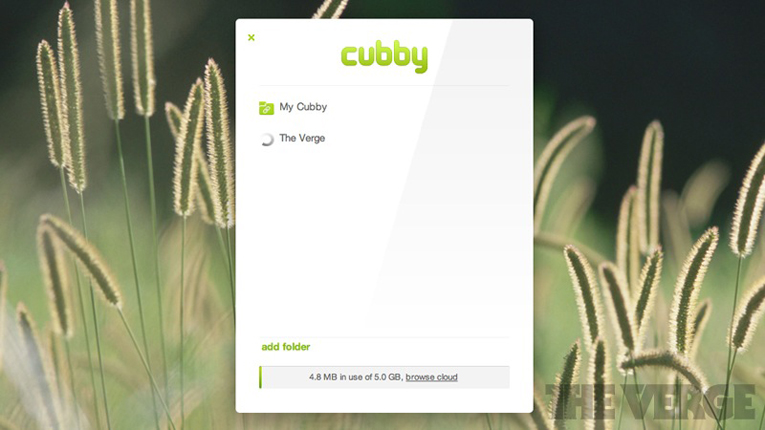
LogMeIn Cubby


CubbyCubby, a brand new product from remote desktop pros LogMeIn, is a hybrid of SugarSync and Dropbox. Cubby operates a lot like Dropbox, but lets you pick folders around your computer to sync like with SugarSync. Besides that, Cubby doesn't offer much in terms of options and customization for syncing to the cloud, but does offer more for users trying to sync files between two desktop computers that are always on. For this kind of scenario, Cubby offers "unlimited peer-to-peer syncing" between computers, assuming both computers stay turned on. If you make changes to a file on one, it will instantly sync to the other. Cubby is ultimately crippled by the fact that it doesn't yet offer a public API for developers, so it can't plug in to any other apps you use. Yet, it shows a ton of potential because of how fast and modern its desktop and web interface are. Pricing: in beta, n/a.
Cubby

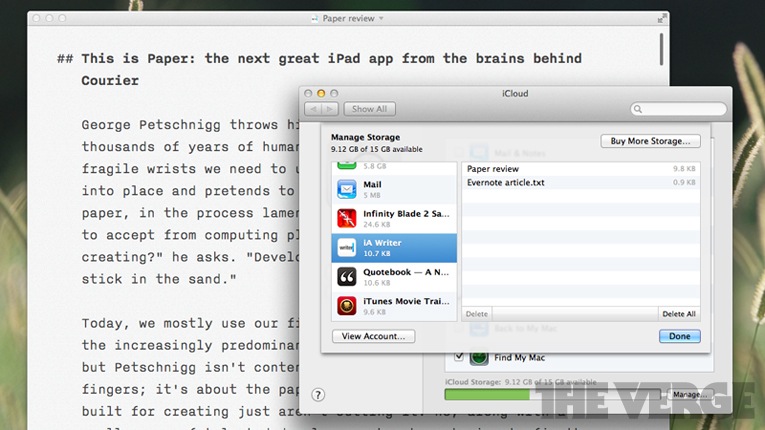
Apple iCloud

Icloud_pic_2iCloud isn't much of a Dropbox competitor, but if all you need synced between your devices are text documents, it can be a pretty seamless solution. Various apps such as Pages and iA Writer have iCloud sync capabilities, saving your work after every keystroke and instantly sending changes to Apple's servers. Once you open up iA Writer or Pages on another Apple device or Mac with OS X Lion, you'll already be working with the most recent version of your document. Additionally, Lion saves versions of your documents locally using Time Machine so you can return to older versions of your document, but only on your machine. While iCloud is a very rudimentary document-syncing solution, it might also be the simplest one to use. And if you need to stream music or videos you've purchased from the cloud, you can do that, too. Pricing: additional 10GB for $20/year; additional 20GB for $40/year; additional 50GB for $100/year.
Icloud

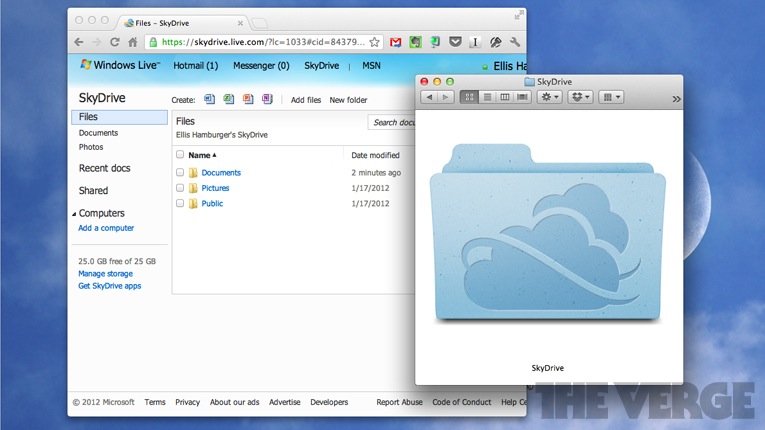
SkyDrive

Skydrive_mainSkyDrive is Microsoft's syncing solution, and in our testing, it works very smoothly. SkyDrive starts things off right by offering 7GB of free storage, which is best in class. If you move quickly (and have used SkyDrive before), you can quickly nab 25GB of total free storage space. SkyDrive really excels at syncing documents created using OneNote and other Microsoft Office products like Word, Excel, and PowerPoint. SkyDrive creates an experience akin to iCloud, but for Microsoft products — except you can also edit documents in groups like you can with Box or Dropbox. And like with Drive (and Google Docs), you can edit (and create) documents for free within your browser.
SkyDrive also lets you share public links, view-only private links, and view/edit private links, which is nice to have. Unfortunately, there's no sharing yet from the Mac app and you can't download items for offline viewing on all mobile platforms. But as a whole, In the end, SkyDrive makes for an extremely well-rounded entry — especially if you forgot to sync something with it. If your home PC is turned on, you can still access all your files using SkyDrive's "Fetch" feature.Pricing: additional 20GB for $10/year; additional 50GB for $25/year; additonal 100GB for $50/year.
Skydrive

Mozy Stash

Mozy_stash_2Mozy Stash is modeled after Dropbox, which is a good thing, but this also means it doesn't offer any features that make it worth using over the industry leader. But, if you're already a Mozy customer, Stash works. You have one folder that the desktop client (which lives in your menu bar) constantly monitors. If you make changes, these changes are synced to other computers hooked up to Mozy, and to Mozy's mobile apps. But since there's no public API, Stash doesn't hook up to any other apps so you can use it for storage. And while you can access your files through a web app, the interface is exceedingly rudimentary and doesn't even allow you to view files without downloading them. Pricing: 50GB for $5.99/month (one computer); 125GB for $9.99/month (three computers).
Mozy

SpiderOak

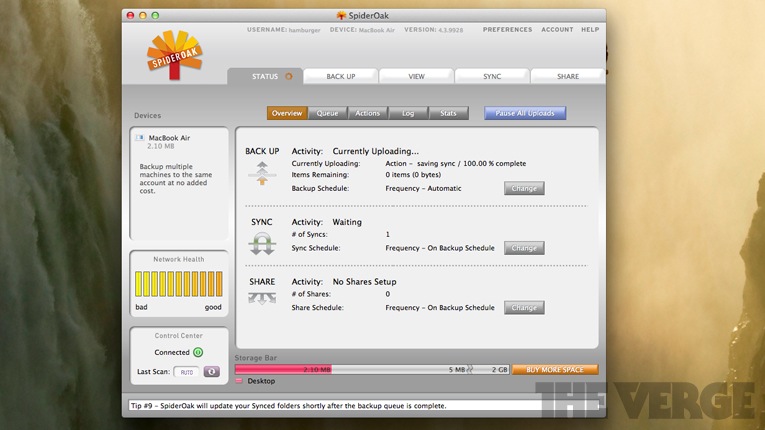
Spideroak_syncWhereas SugarSync puts sync first and then backup, SpiderOak puts backing up your computer at top priority. Once you pick folders to back up, you can choose one to sync to multiple computers. Except in order to do so, you'll need to designate which folders should correspond with each other on each computer. For example, you need to tell the app that "Folder A" on your laptop (which you've already backed up using SpiderOak) should sync with "Folder B" on your desktop (which you've already backed up using SpiderOak). This means that you can't even finish the setup process until you have access to your other computer again so you can create a sync folder and back it up. Pricing: 100GB for $10/month ($100/year); additional 100GB increments at same price.
Spideroak

AVG LiveKive

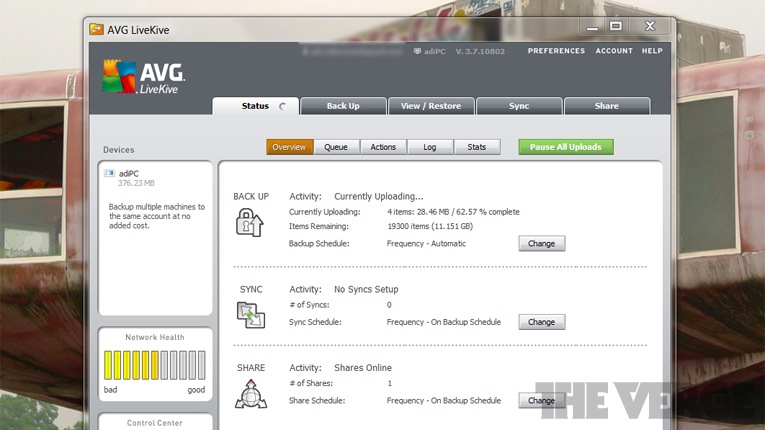
Livekive_softwareIf AVG's LiveKive app looks familiar, it's because it is. AVG licensed an entire suite of syncing and backup software from SpiderOak and has rebranded it as its own. This means the sluggish and cumbersome experience is here too, while the mobile app is decent, as we stated about SpiderOak. So what's the draw? AVG's upgrade structure is less expensive than SpiderOak's by a long shot. AVG gives you unlimited storage for $79.99/year, while SpiderOak gives you 100GB for the same price. Also, the Mac version of the app has mysteriously disappeared, so your only desktop option is Windows, for now. Price: 25GB for $49.99/year; 50GB for $59.99/year; "unlimited" (500GB, throttled after that) for $79.99/year.
Livekive

Wuala by LaCie

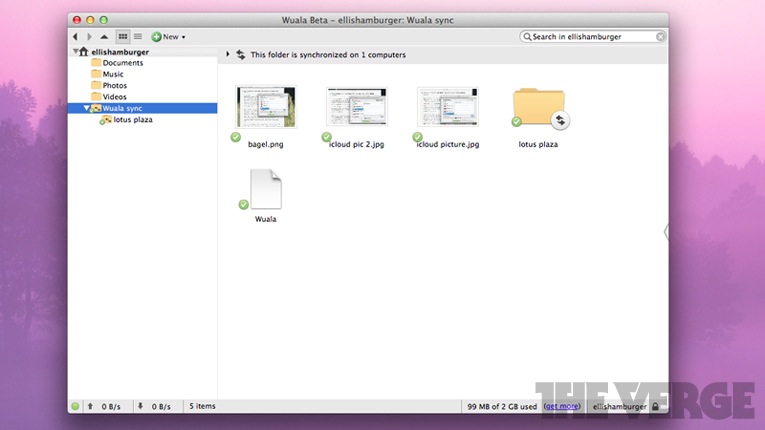
Wuala_headerWuala is built by storage veterans LaCie, so they take privacy really seriously. In fact, you can't even access your files through Wuala's website because the company's worried about transmitting data through your browser. Instead, it uses a Java web-app alongside desktop and mobile apps so all encryption takes place on your device. Wuala features a very fleshed out desktop client that lets you share files publicly or privately with just a couple clicks. While Wuala doesn't manage sync folders across computers as well as SugarSync does, it's best in class in terms of offering a great experience on the desktop for syncing or backing up files. Another nice touch is that you can switch off "continuous" sync and switch to backup intervals if you'd like to. Pricing: 20GB for 29€/year; 50GB for 69€/year; 100GB for 119€/year.
Gdrive-2

Box

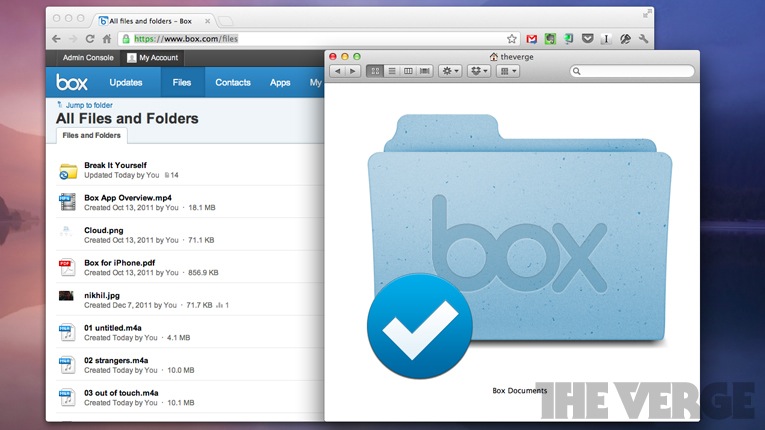
Box_appAside from the Dropbox, Box might be the most integrated service since its API is so popular with productivity apps like QuickOffice. In this way, it's easy to integrate Box storage into your workflow — and with sync (offered free, but only to business customers at this point), it becomes even more powerful. There's detailed version-tracking, a feed of every sync and change you've made to a document, elaborate sharing features, and frequently updated and polished apps for just about every platform. Box Sync isn't yet available for consumers, but we'd keep our eyes peeled. Its Google Docs integration combined with tons of collaboration features and sync for consumers would make it a very formidable competitor. But still, like Dropbox, you can only sync with one folder on your computer. Pricing: for personal account, which does not include Box Sync: 25GB for $9.99/month; 50GB for $19.99/month.
BoxSyncplicity
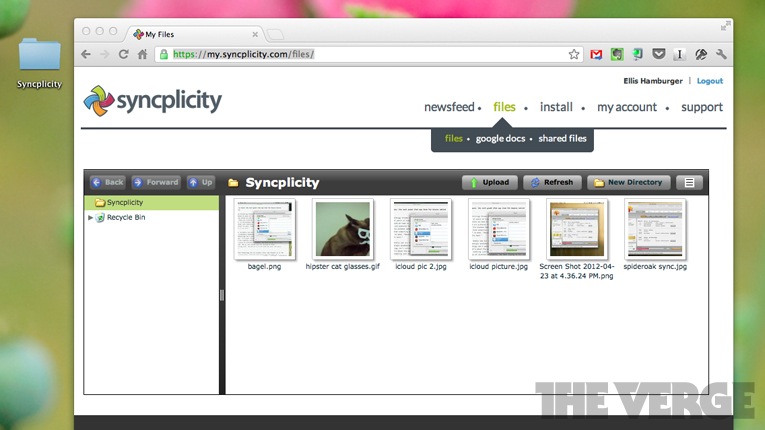
SyncplicitySyncplicity has gone undercover in the desktop sync scene, in part because it's primarily meant for business users. But, it has some interesting features for consumers that make it worth checking out like Google Docs integration and a news feed of activity (like in Box). First off, you can sync folders from anywhere on your computer, but there really aren't any settings to change besides this one — on the desktop, or on the web. Syncplicity ties in to Google Docs to download and sync your data, but it doesn't work as well as with Insync or Drive. One bonus that Syncplicity offers (like Insync) is that you can actually edit documents stored in your Drive and browse versions in the Syncplicity mobile app. A couple things we don't like: the desktop app doesn't have any preferences to change, you can't preview files in the ultra-sluggish web browser view, and you can't add more than two devices to your sync under the company's free tier. In the end, Syncplicity isn't the most well-rounded experience (and isn't pretty, either), but it is a decent app. Pricing: 50GB for $15/month.
Syncplicity

Head to head

Bigchart-7

Liner notes

Sync_apps
At the end of the day, Google Drive is exactly what Google fans have been looking for: a place to store all of your Google stuff. It syncs to your computer effortlessly, but Dropbox already does that. So where does it beat Dropbox? Since Drive replaces and builds on Google Docs, it's essentially a full-featured cloud document editing and storage suite. Dropbox is still the champ at syncing since it's so reliable and on so many platforms, but if you're looking for the best way to collaborate with others using online documents, Drive is the way to go. If you're looking for the ability to sync and also backup multiple folders around your computer, SugarSync is head and shoulders above the rest.
No one sync solution is perfect, so we attempted to give a fair shot to every mainstream app we've heard of and could find online. So, we wanted to provide explanations for why two mainstream options were not included in our list. First,JungleDisk was not included primarily because there is no free way to use the service, and we've compared services that you can use free of charge (like Google Drive). The least expensive option is $3/month, which includes 5GB of storage — a lot compared to other services we looked at. Additionally, most of the apps we checked out offer mobile apps that have been updated recently, while JungleDisk's iOS app has not been updated since August 2010, almost two years ago.
Another option we skipped is AeroFS, a very cool new company that lets you "sync" files between computers as long as both computers are turned on. LogMeIn's Cubby provides a similar feature, but also includes traditional "sync to the cloud" capabilities, a baseline feature for our comparison. Thus, AeroFS, which cannot sync your files to "the cloud," was not included.
A third detail we want to mention has to do with the criteria we used to judge these apps. We didn't provide each app with a Verge Score, but did measure them in terms of criteria we came up with, which we submitted to each sync app's parent company. Data from our charts is a combination of points we deduced from using the apps and points we gathered from responses to the criteria we submitted to each company.
Also, a few clarifications:
Multiple folder sync: the ability to sync multiple folders outside of your primary sync folder. For example, SugarSync allows you to pick folders around your computer to sync, while Dropbox does not.
Download to mobile: "pin" files to mobile for offline use on all mobile platforms
Password-protected files: whether links you send out to others can be password-protected or not. Clearly all of these services offer password protection for accessing all of your files.
Bandwidth-throttling: this is a negative attribute, and corresponds to companies that admitted to throttling bandwidth when you upload large amounts of files.


O2 mobile wallet app launches text message payments


The Mobile network O2 has launched a smartphone app that allows users to transfer up to £500 via text message.
It also allows customers to "digitise" their debit and credit cards to speed up purchases from online stores.
The firm also intends to allow users of phones with near-field communication (NFC) chips to make contactless payments in high street shops.O2 Wallet                                                                  The app has a range of services, including a money management facility

It is the latest of several firms to charge retailers a transaction fee for making it easier to shop.
The service will be free to consumers at first, but O2 said that it would charge 15p for each money message sent by text at a later date.
The network provider said that more than 100 retailers had agreed to accept payments from the service. They include Debenhams, Comet, Sainsbury's Direct and Tesco Direct.
Users can also benefit from a search facility that compares how much goods cost, the ability to load money onto the app from their debit cards and a "transaction history" that keeps track of what they have spent.
The firm said it had held off introducing contactless payments as only a handful of retailers had installed the necessary systems.
Security risks
James Le Brocq, managing director at O2 Money said: "We believe it will transform the way people manage their finances and spend money."
One of the biggest stumbling blocks for uptake of such technology is fears about security. He noted that all personal details, pin codes, passwords and other financial data were held on remote central servers rather than on the mobile device.
"O2 wallet has been trialled internally for months and has undergone extensive 'stress-testing' with security experts," he added.
"This is, we believe, the safest and most secure way to deliver mobile payment services."
Project Oscar
Eden Zoller, analyst at Ovum, said the service was part of a wider plan.
O2 and its rivals Vodafone and EverythingEverywhere are working on a national mobile payments service - dubbed Project Oscar. They had hoped to have it up and running in time for the London Olympics.
But the project is held up in Brussels, subject to an anti-competitive investigation.
"For O2 if this project is in danger of being stalled or even derailed it make sense to move ahead with a solo initiative," said Ms Zoller.
            Phone with O2 Wallet app opened                                                                   The app can also scan barcodes and search for cheaper products
It is not the first time O2 has experimented with mobile wallets. In 2009 it tested using mobiles as an Oyster card replacement to pay for travel on London's Underground network.
Last summer saw the launch of the UK's first mobile payment service with Orange and Barclaycard teaming up to offer contactless payments in a range of stores, including Pret a Manger, Little Chef and the National Trust.
Juniper Research estimates that one in six mobile devices will be NFC-enabled by 2014.
O2 currently has 200,000 customers with NFC-enabled phones in the UK.